Parallel Task Processing with Claude Cowork Task Tool
What if Claude could work on multiple tasks simultaneously? Or delegate complex sub-tasks to specialized workers while staying focused on the main goal? This is exactly what the Task Tool enables in Claude Cowork.
The Task Tool is one of Claude's most powerful but underutilized features. It allows Claude to spawn subagents—independent Claude instances that can work in parallel or handle heavy processing without cluttering the main context.
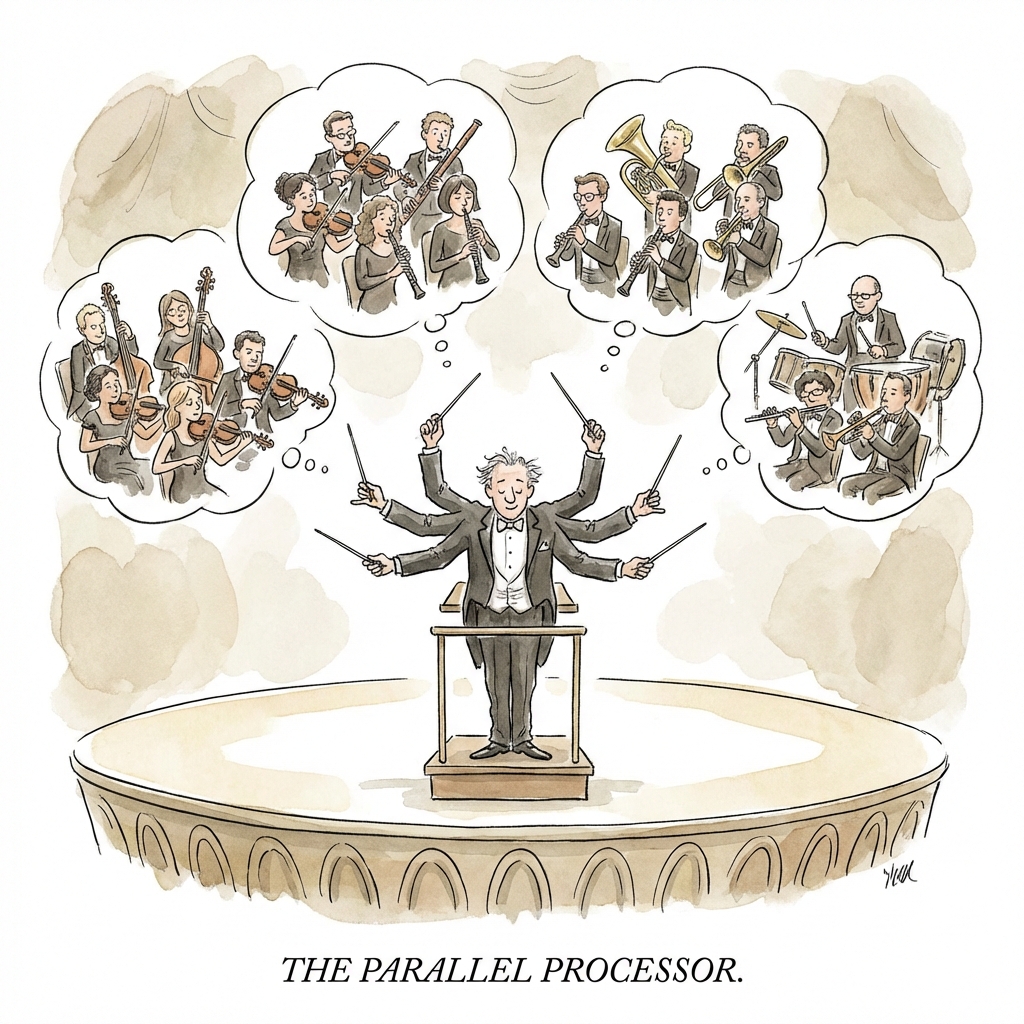
Table of Contents
- What is the Task Tool?
- When Claude Must Use Subagents
- Parallelization: Processing Multiple Tasks
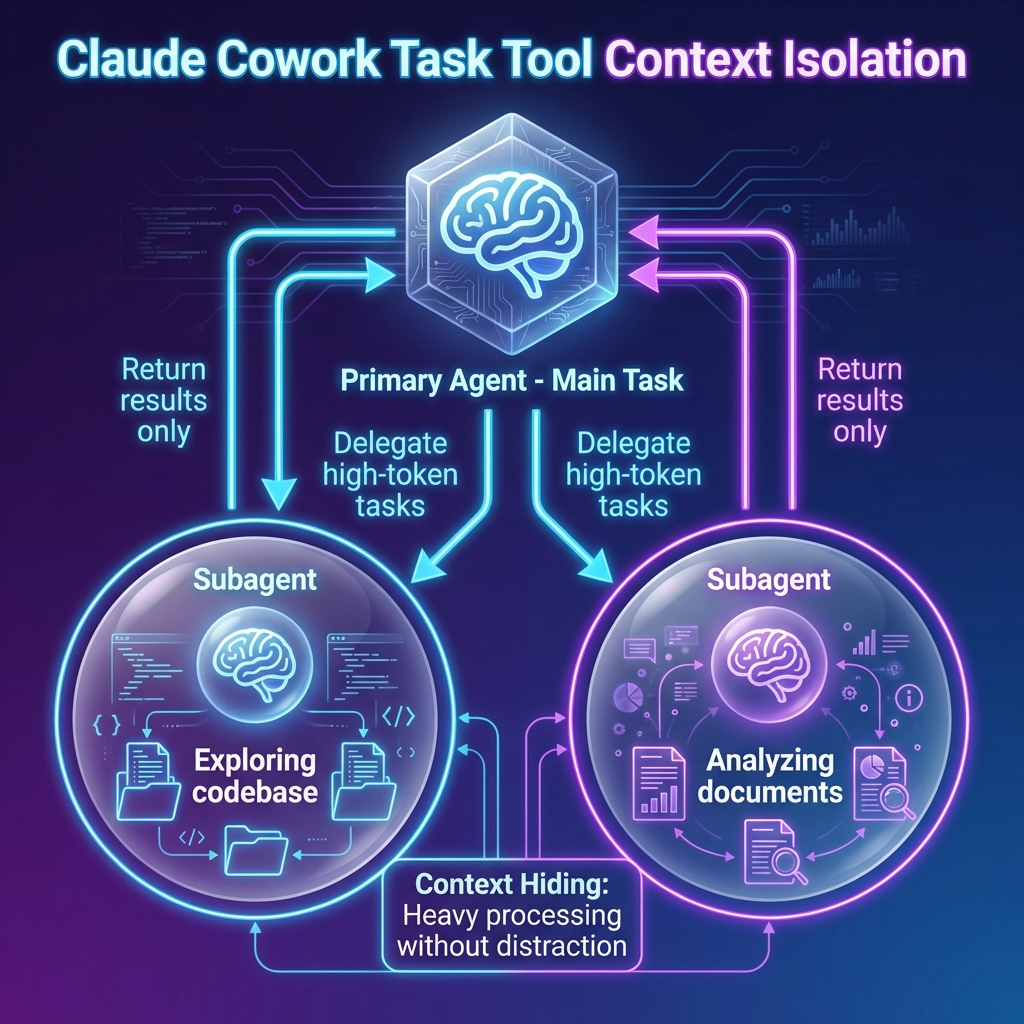
- Context Isolation: Heavy Processing Without Distraction
- Real-World Use Cases
- How Subagents Work
- Verification with Subagents
- Tips for Optimal Performance
What is the Task Tool?
The Task Tool is a built-in Cowork capability that allows Claude to spawn subagents—separate Claude instances that can:
- Work on tasks independently
- Process data in parallel
- Handle complex sub-tasks
- Perform verification of the main agent's work
- Explore large codebases or document sets
Think of it as Claude creating temporary assistants to help with specific parts of a larger task.
Key Characteristics
| Feature | Description |
|---|---|
| Independence | Each subagent operates with its own context |
| Parallelism | Multiple subagents can work simultaneously |
| Context Isolation | Heavy processing doesn't clutter main context |
| Result Aggregation | Main agent receives summarized results |
When Claude Must Use Subagents
According to Claude's internal instructions, subagents are mandatory in two specific scenarios:
1. Parallelization
When Claude has two or more independent items to work on, and each item may involve multiple steps.
Examples from the system prompt:
- "Investigate these competitors"
- "Review customer accounts"
- "Make design variants"
The key criteria:
- Multiple independent work items
- Each item requires multiple steps
- Items don't depend on each other's results
2. Context Hiding
When Claude needs to accomplish a high-token-cost subtask without distraction from the main task.
Examples from the system prompt:
- Using a subagent to explore a codebase
- Parsing potentially-large emails
- Analyzing large document sets
- Performing verification of earlier work
The key criteria:
- Task involves processing large amounts of data
- Main task shouldn't be overwhelmed by details
- Results can be summarized
Parallelization: Processing Multiple Tasks
How Parallelization Works
Instead of processing tasks sequentially (A → B → C → D), Claude spawns multiple subagents that work on all tasks simultaneously:
Traditional:  A → B → C → D  (slow, one at a time)

With Subagents:
    ├── Subagent 1 → A
    ├── Subagent 2 → B
    ├── Subagent 3 → C
    └── Subagent 4 → D

Results aggregated and returned to main agent
Benefits of Parallelization
| Benefit | Explanation |
|---|---|
| Speed | Tasks complete faster when processed simultaneously |
| Efficiency | Each subagent focuses on one task without distraction |
| Scalability | Adding more tasks doesn't linearly increase time |
| Quality | Each subagent can take full attention on its task |
Ideal Parallelization Scenarios
- Competitor analysis: Research 5 competitors simultaneously
- Document review: Analyze multiple contracts at once
- Data extraction: Process multiple files in parallel
- Multi-variant design: Create several design options concurrently
Context Isolation: Heavy Processing Without Distraction
The Problem with Large Tasks
When Claude processes large files or datasets, the information fills up the context window. This can:
- Distract from the main objective
- Reduce quality on subsequent steps
- Make it harder to synthesize results
The Context Isolation Solution
The Task Tool solves this by delegating heavy processing to subagents:
- Main Agent: Stays focused on the overall goal
- Subagent: Processes the large data
- Results: Only summarized findings return to main agent
Example: Codebase Exploration
Without Context Isolation:
User: "Analyze this 50-file codebase and create documentation"

Claude reads all 50 files → Context overwhelmed →
Documentation quality suffers
With Context Isolation:
User: "Analyze this 50-file codebase and create documentation"

Main Agent: "I'll use subagents to explore the codebase"
├── Subagent 1: Explores src/ directory → Returns: "3 main modules found"
├── Subagent 2: Explores tests/ → Returns: "85% test coverage"
└── Subagent 3: Analyzes dependencies → Returns: "12 packages used"

Main Agent: Creates documentation from summarized results
Real-World Use Cases
Use Case 1: Multi-Competitor Research
Request:
"Research our top 5 competitors and create a comparison report"
Claude's Approach:
Spawn 5 subagents, one for each competitor:
├── Subagent: Research Competitor A → Products, pricing, strengths
├── Subagent: Research Competitor B → Products, pricing, strengths
├── Subagent: Research Competitor C → Products, pricing, strengths
├── Subagent: Research Competitor D → Products, pricing, strengths
└── Subagent: Research Competitor E → Products, pricing, strengths

Main Agent: Synthesizes results into comparison report
Use Case 2: Multi-Account Review
Request:
"Review our top 10 customer accounts for upsell opportunities"
Claude's Approach:
Spawn subagents for each account:
├── Subagent 1-5: Review accounts 1-5 in parallel
└── Subagent 6-10: Review accounts 6-10 in parallel

Each returns: Current products, usage patterns, growth potential

Main Agent: Prioritizes opportunities and creates action plan
Use Case 3: Design Variants
Request:
"Create 4 different logo design concepts based on my brief"
Claude's Approach:
Spawn 4 design subagents:
├── Subagent: Minimalist approach
├── Subagent: Bold/colorful approach
├── Subagent: Typography-focused approach
└── Subagent: Icon-based approach

Main Agent: Presents all 4 variants with rationale
Use Case 4: Large Document Analysis
Request:
"Analyze this 200-page legal document and summarize key risks"
Claude's Approach:
Use context isolation:
├── Subagent: Analyze pages 1-50 → Key points
├── Subagent: Analyze pages 51-100 → Key points
├── Subagent: Analyze pages 101-150 → Key points
└── Subagent: Analyze pages 151-200 → Key points

Main Agent: Synthesizes findings without reading full document
How Subagents Work
Subagent Lifecycle
- Spawn: Main agent creates subagent with specific task
- Execute: Subagent works independently
- Return: Subagent sends results back to main agent
- Terminate: Subagent context is discarded
What Subagents Can Do
| Capability | Examples |
|---|---|
| Read files | Analyze documents, code, data files |
| Search | Web research, file search, database queries |
| Process data | Calculations, transformations, analysis |
| Create content | Write sections, generate variants |
| Verify work | Fact-check, review, validate |
What Returns to Main Agent
Subagents don't return their entire context—only:
- Summarized findings
- Key data points
- Conclusions and recommendations
- Error reports if something failed
This keeps the main agent's context clean and focused.
Verification with Subagents
One of the most important uses of subagents is verification:
Claude should generally use subagents (Task tool) for verification.
Why Subagent Verification is Better
- Fresh Perspective: Subagent hasn't seen the work being verified
- Independent Check: Not biased by the creation process
- Context Separation: Verification results don't mix with main work
- Thorough Review: Subagent can focus entirely on verification
Types of Verification Subagents
| Verification Type | Subagent Action |
|---|---|
| Fact-checking | Verify claims against sources |
| Calculation review | Re-run calculations independently |
| Code testing | Run tests on generated code |
| File diff review | Analyze changes made to files |
| Screenshot verification | Capture and review UI states |
Tips for Optimal Performance
1. Request Parallel Processing Explicitly
If you have multiple independent tasks, prompt Claude to use parallelization:
"Research these 5 competitors in parallel and compare the results"
2. Break Down Large Tasks
Help Claude identify parallelization opportunities:
"For each of these 10 files, extract the key metrics and create a summary. Process them simultaneously if possible."
3. Request Context Isolation for Large Data
When dealing with large documents:
"Analyze this large dataset using subagents so you can provide a focused summary"
4. Specify Verification Requirements
Tell Claude to verify using subagents:
"After creating the report, use a separate verification step to check all calculations"
5. Understand the Tradeoffs
| Situation | Recommendation |
|---|---|
| Many independent tasks | Use parallelization |
| Large data processing | Use context isolation |
| Important accuracy | Use verification subagent |
| Sequential dependencies | Keep in main agent |
Key Takeaways
- Task Tool spawns subagents for parallel processing and context isolation
- Mandatory for parallelization when handling multiple independent multi-step tasks
- Mandatory for context hiding when processing large data that would overwhelm context
- Ideal for verification since subagents provide independent checks
- Results are summarized so main agent stays focused
- Request explicitly when you want parallel or isolated processing
The Task Tool transforms Claude from a single worker into a team of coordinated specialists. By understanding when and how to leverage subagents, you can dramatically improve the speed and quality of complex Cowork tasks.
Related Guides
- Optimizing Workflows - TodoList and AskUserQuestion
- Mastering Skills System - Document creation skills
- What is Claude Cowork? - Complete introduction
- Best Use Cases - Practical examples
Last updated: January 14, 2026
This article is part of CoworkHow.com, an independent resource for Claude Cowork users. We are not affiliated with Anthropic.